 The EasyPass Barber Companion™ is a Microsoft Access based program designed to aid you in preparing for the State Board Written Exam. While it can be used as a standalone tool, it complements our EasyPass Barber Written Test online course and physical workbook solutions.
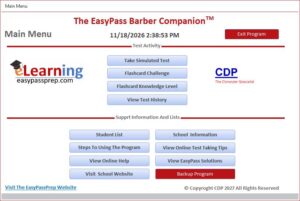
Within our program, you will find options for:
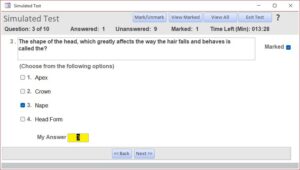
Taking Simulated Tests. These timed simulated tests are similar to what you will encounter at State Board. Each time you take a simulated test, the questions on the test will differ, being randomly pulled from our question bank of over 1,000 questions. In short, no two tests are ever the same. You can take a full test of 85 questions or smaller tests in increments of 50, 25, or 10 questions.
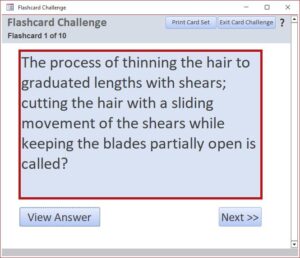
Taking A Flashcard Challenge. Flashcards are two-sided study digital tools that feature a question on one side and an answer on the other. Each time you take a flashcard challenge, the card set will differ, being randomly pulled from our question bank of over 350 flashcards. In short, no two card sets are ever the same. You can take challenges in increments of 100, 75, 50, 25, or 10.
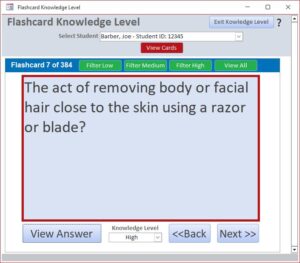
Using the Flashcard Knowledge Level to view the entire flashcard bank and rate your knowledge level of each card (Low, Medium, or High). Rate the questions according to your knowledge level and comfort zone. These levels will be stored for you if you decide to come back later to the challenge. Use the filter buttons to concentrate on the cards with a particular level rating.
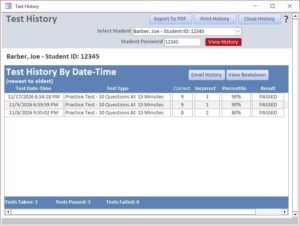
Getting into the View Test History area. Once a simulated test is completed, you have the option when you close the test results to save a summary of the results to the history table. This option allows you to view the saved history.
Minimum computer requirements to run The EasyPass Barber Companion:
- A Windows Based computer (e.g., Windows 10 or 11)
- A licensed version of Microsoft Access or the free Microsoft 365 Access Runtime installed on your computer. You can download a FREE copy of Microsoft 365 Access Runtime at https://support.microsoft.com/en-us/access/download-and-install-microsoft-365-access-runtime.
Note: If the full version of Microsoft Access is already installed on your computer, you do not need Microsoft 365 Access Runtime.